Semble

Join teams switching from Fieldwire to Semble.

Keep your crew moving, save 20–50%+ per seat.*

Compare features
SembleRiverside Medical Center / Floor 2 · A-102
Semble

Cover entrances and hallways with cameras.

Built by a team from
YCombinatorStanfordTeslaSpaceXConvergint

Choose Semble for drawing capability, competitive pricing, and Semble AI.

Semble versus Fieldwire: features and product fit
FeatureSembleFieldwire
Easy mobile / iPad app
Available
No
AI-powered site walks
Available
No
Plans, markups, and field tasks
Available
Available
AI-assisted placement & floorplan editing
Available
No
Device-based bills of materials
Available
No
MCP access
Available: All plans
Varies
Competitive pricing
Available
No
Branded customer reports
Available
Available
Personalized support
Semble Personalized Support
Some
Talk to us today

Takeoffs & Design

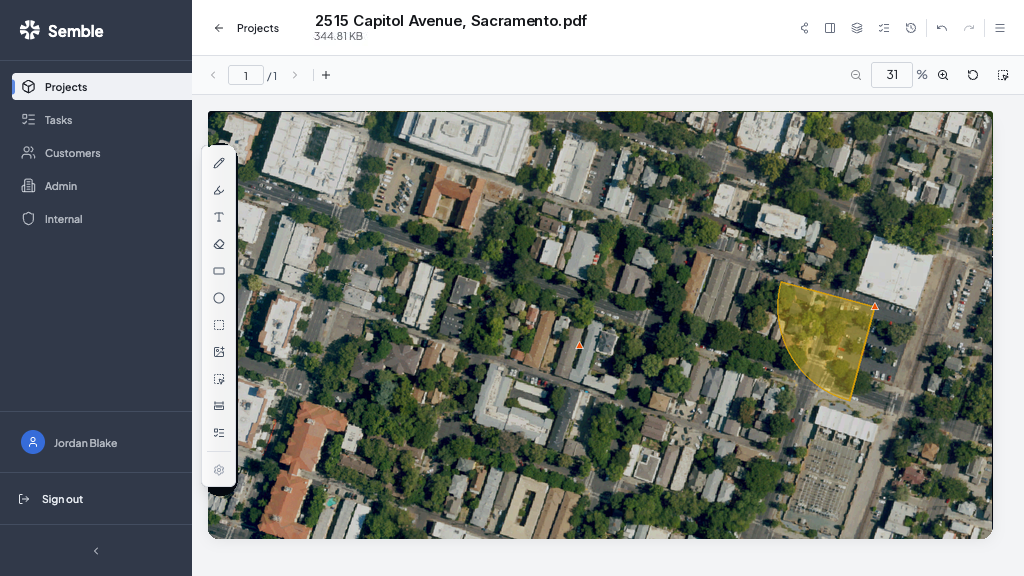
Mark up any plan.
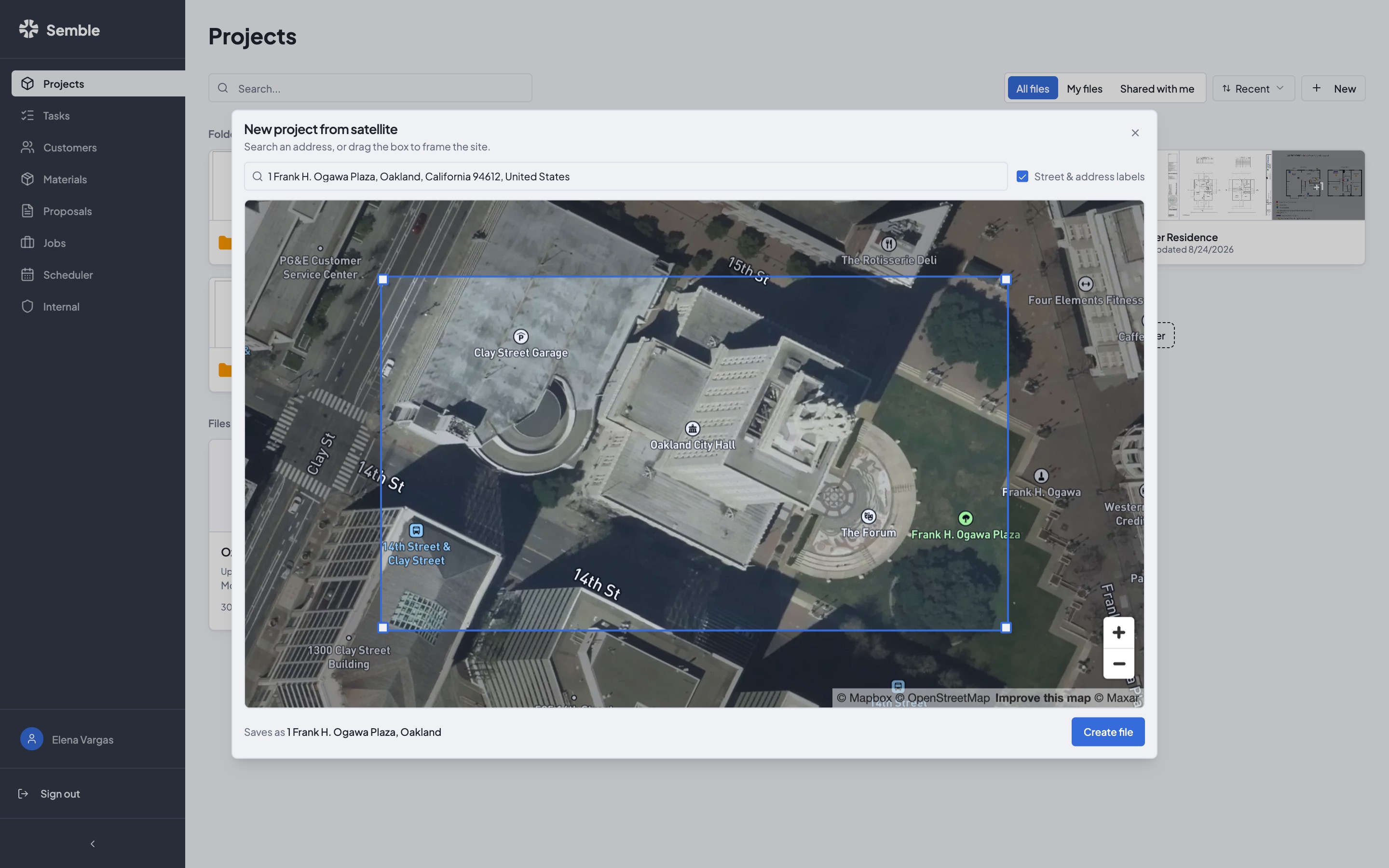
Or start from satellite.

Import plan sets

Or start from satellite of any address.

Mark up the drawing

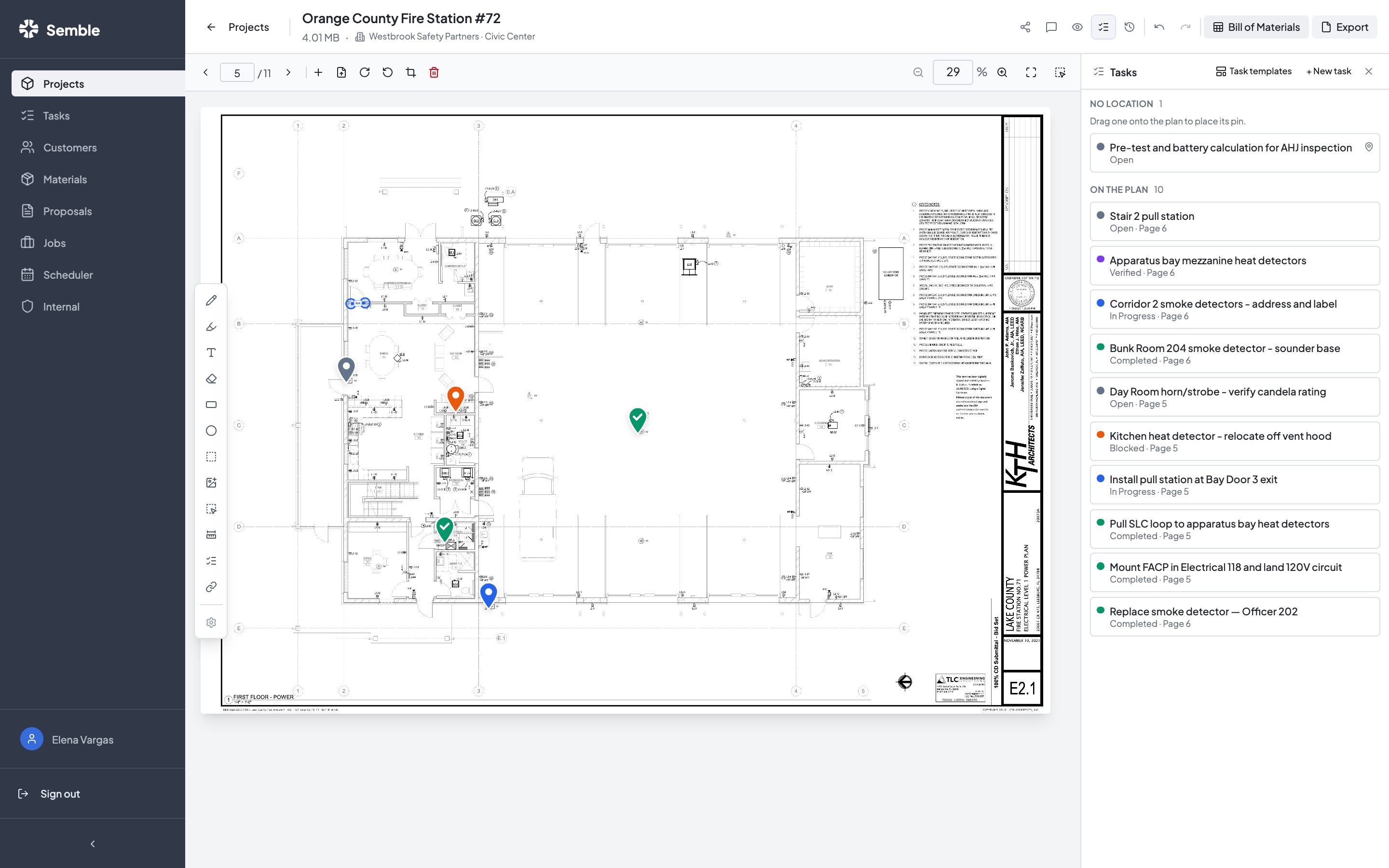
Devices, measurements, comments, and task pins.

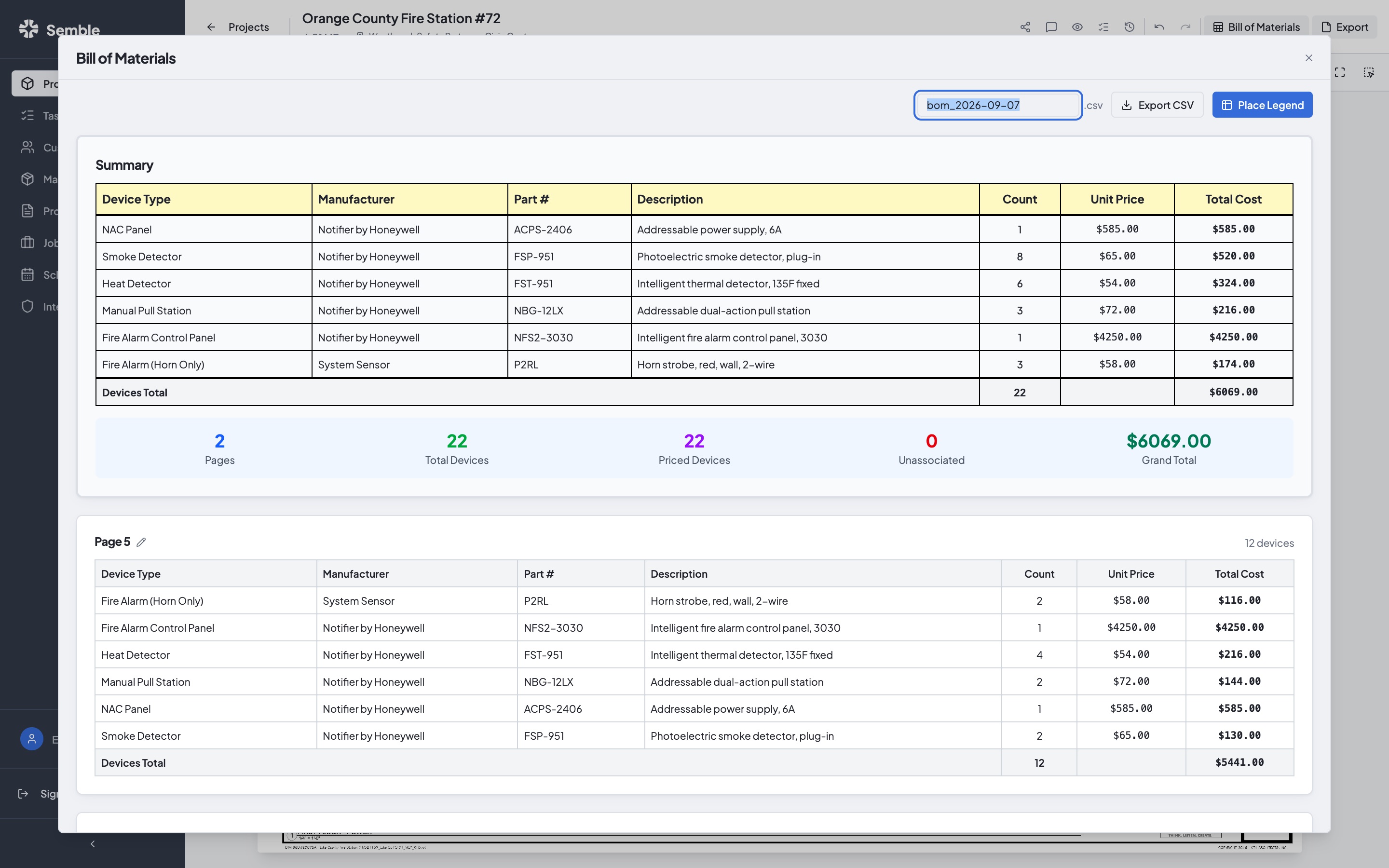
Export what you sell

BOMs, proposals, and priced company docs.

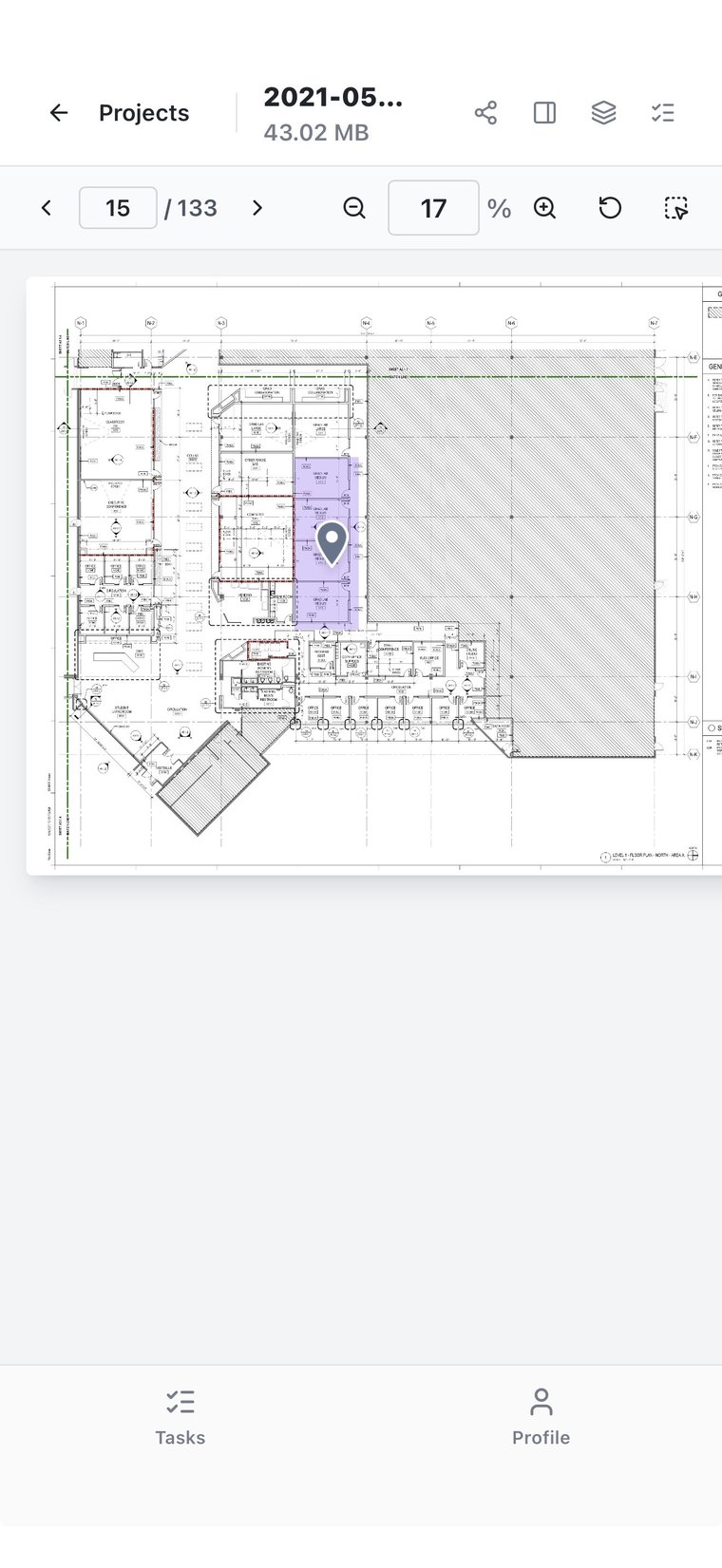
Satellite takeoff in Semble with coverage zones and device pins.The same job open on a phone.

AI can read your floor plans.
Count devices. Lay out your system.

Vida Scott architectural floor plan open in Semble’s drawing tools.
0 devices placed
CamerasCard readersDoor contacts

Cover entrances and corridors with cameras. Add card readers and door contacts to the secured rooms.

Identifying rooms and doorways…

Use the Semble mobile app
in the field.

Open plans, attach photos, view tasks, and follow checklists. Right from your phone.

One platform to
manage your workflows.

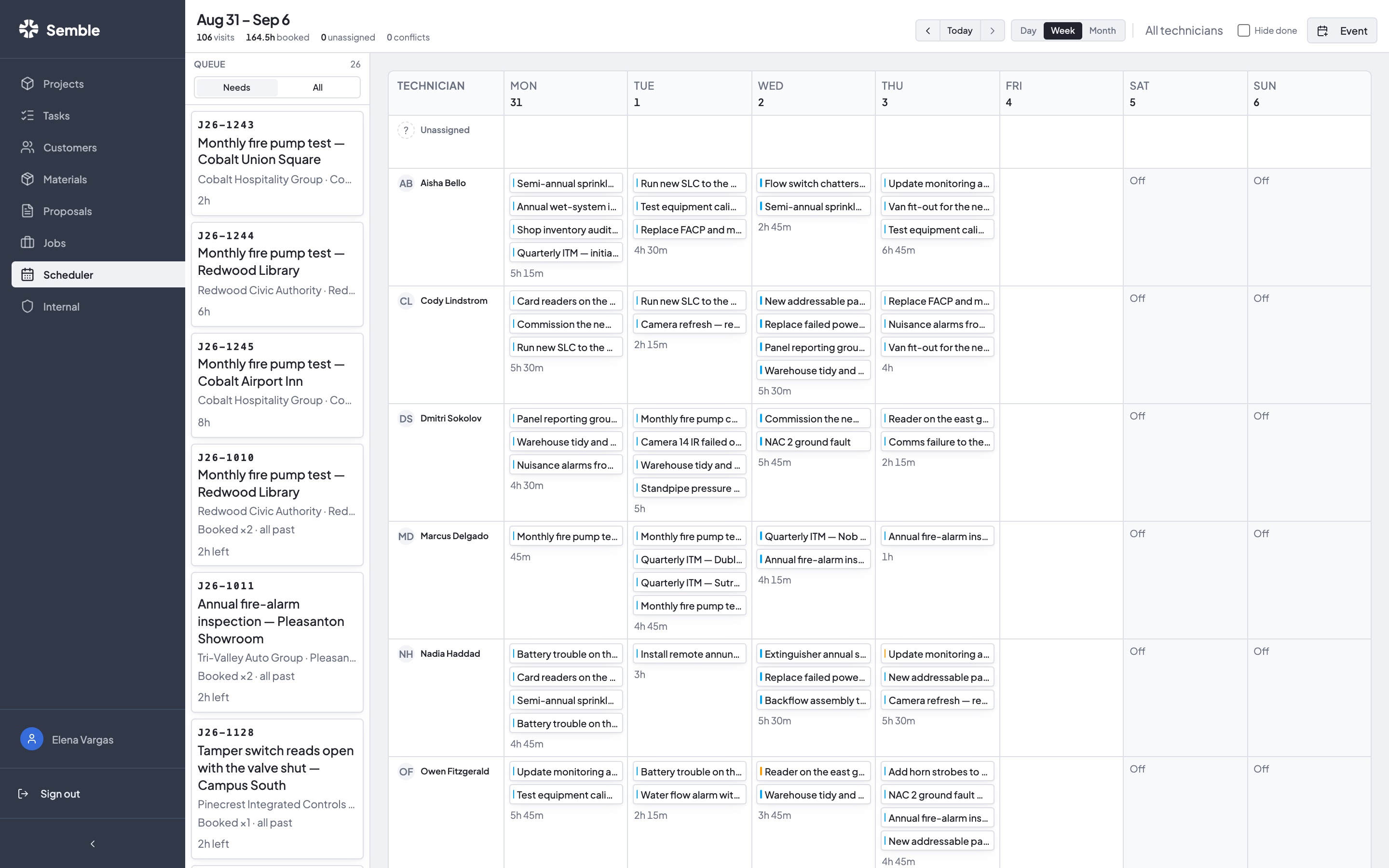
Field operations

Open plans, view tasks, attach photos, and follow checklists.
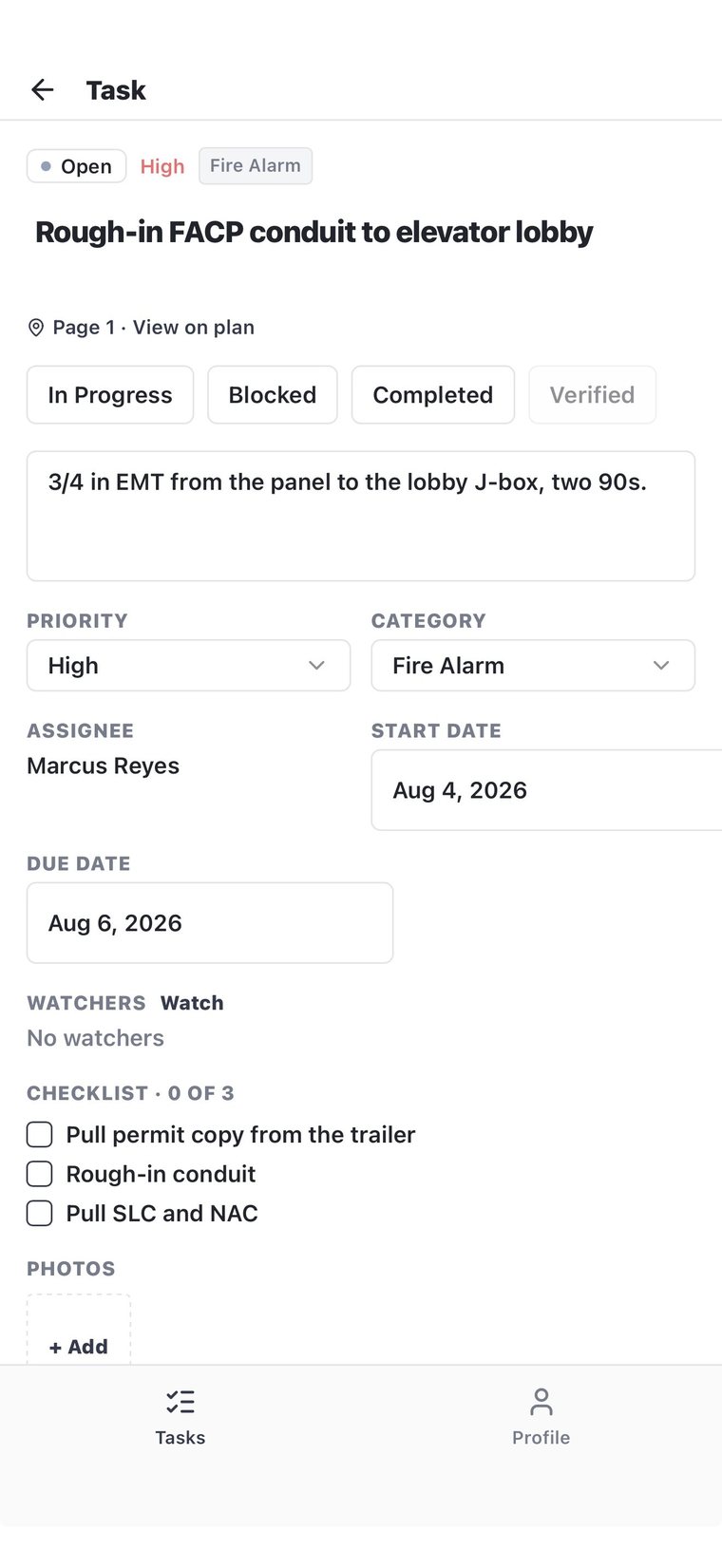
Field operations in Semble

Drawings

Place devices, draw wiring, perform takeoffs, and generate BOMs.
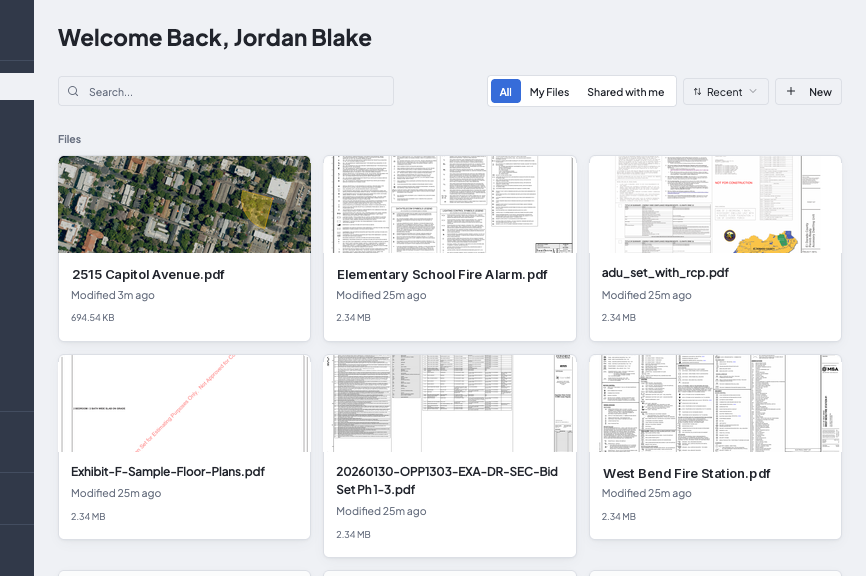
Drawings in Semble

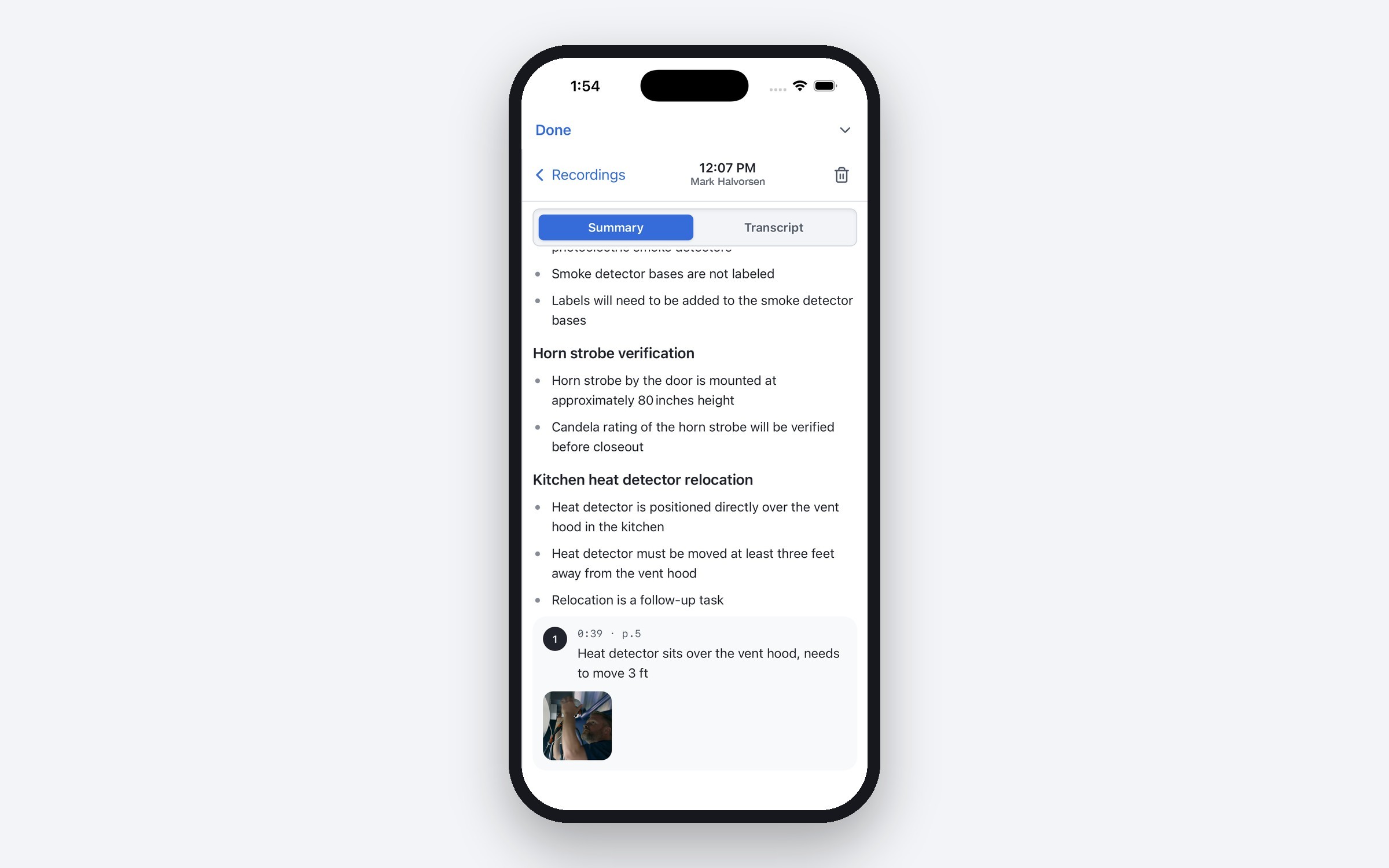
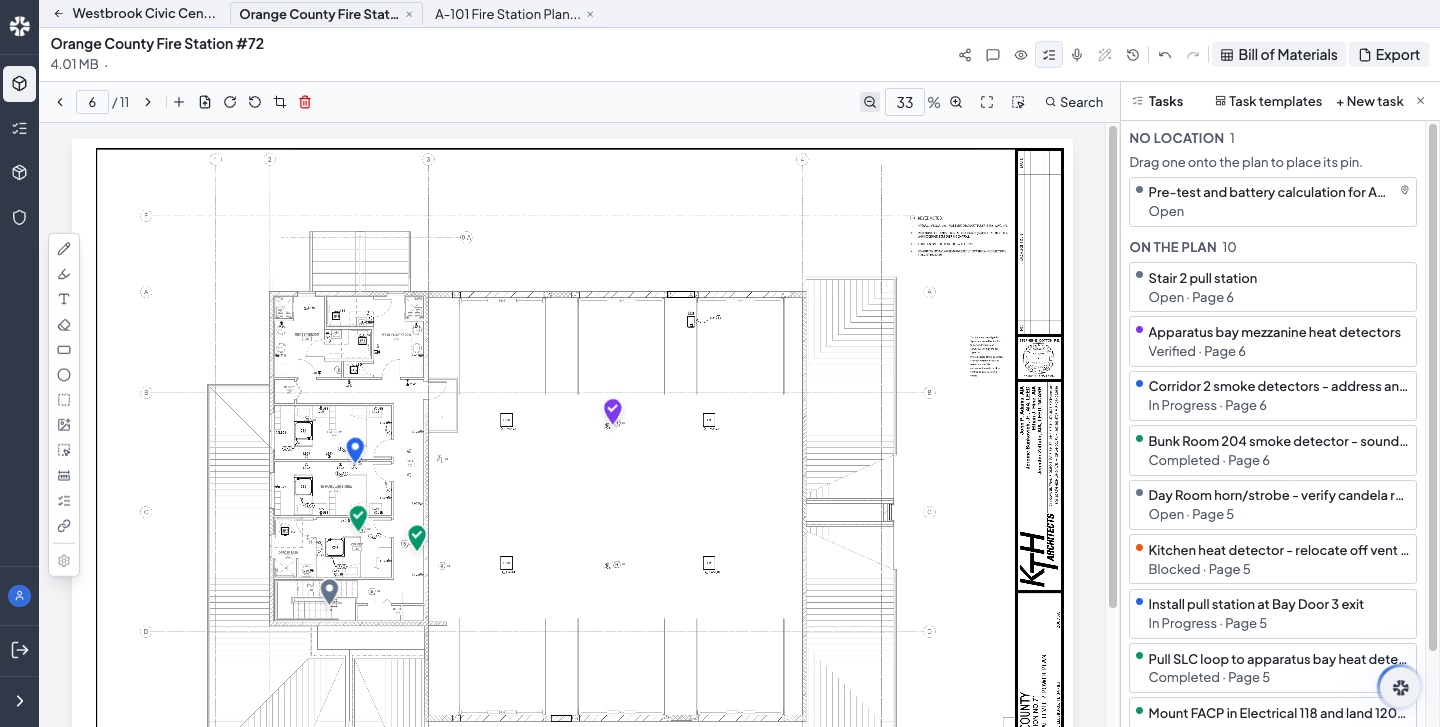
Semble AI

Lay out devices, count equipment, assign tasks, and coordinate crews.

Semble AI
You
Assign Marcus the Floor 2 camera review for Friday at 9 AM. Send him the task link.
Semble AI
Assigning taskFloor 2 camera review → Marcus Reyes
Working
Scheduling reviewFriday · 9:00–9:30 AM
Working
Sending messageMarcus Reyes · Camera review link
Working

Done. Marcus is assigned, the review is scheduled, and he has the link.

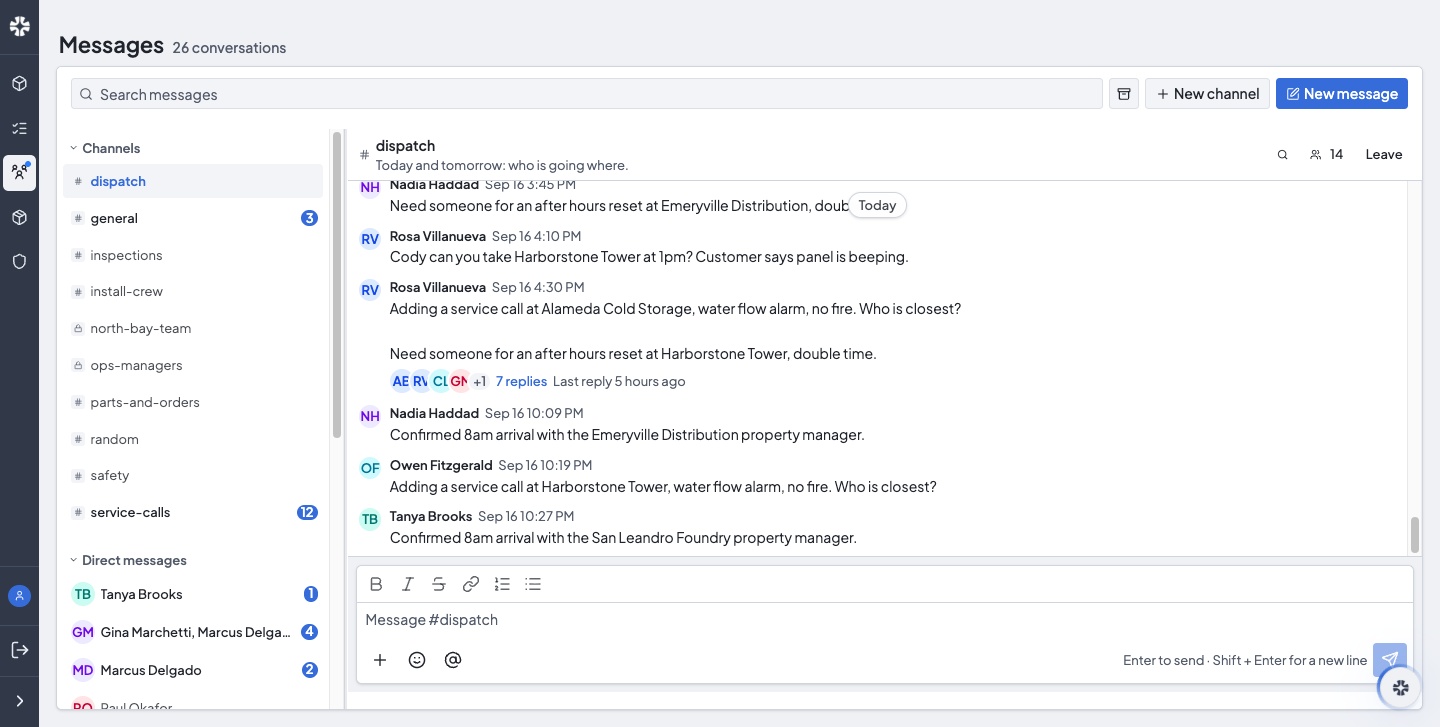
Messages

Message your crew, share project links, and keep work in context.

# riverside-install
MR
Marcus Reyes

Hey @Dana, camera install is complete. Take a look here.

Riverside MedicalFloor 2 · Camera installation
DS
Dana Shah

Looks good, thank you!

From the blog

All articles

Pinned · September 14, 2026

Integrators. Meet Semble.

Watch the film
ProductSeptember 10, 2026

Feature Highlight: Tasks

Mark Halvorsen · Product Manager

ProductSeptember 9, 2026

Feature Highlight: AI Notes

Mark Halvorsen · Product Manager

ProductSeptember 8, 2026

Feature Highlight: Messages

Mark Halvorsen · Product Manager

AISeptember 3, 2026

What AI Can Actually Do for an Integrator Today

Mark Halvorsen · Product Manager

ComparisonAugust 11, 2026

Fieldwire vs Semble (2026): Which Is Better for Low-Voltage Integrators?

Mark Halvorsen · Product Manager

IndustryJuly 16, 2026

Bluebeam Revu 20 Ends December 31, 2026. Here's What Low-Voltage Integrators Should Do.

Mark Halvorsen · Product Manager

ComparisonMay 20, 2026

System Surveyor vs Semble (2026): Which Is Better for Security Integrators?

Mark Halvorsen · Product Manager

Book a demo

Explore takeoffs, AI layouts, material lists, and field tasks in a live demo.

info@sembleai.com
Choose a time belowOpen booking page

Calendar not loading? Open the booking page.

*Per-seat savings apply to selected plans and billing terms. Actual savings depend on your current plan and team configuration.

SembleSemble
Y

© 2026 Semble. All rights reserved.

PricingBlogPrivacy PolicyTerms of Service